IPTV, finally
built for how
you actually watch.
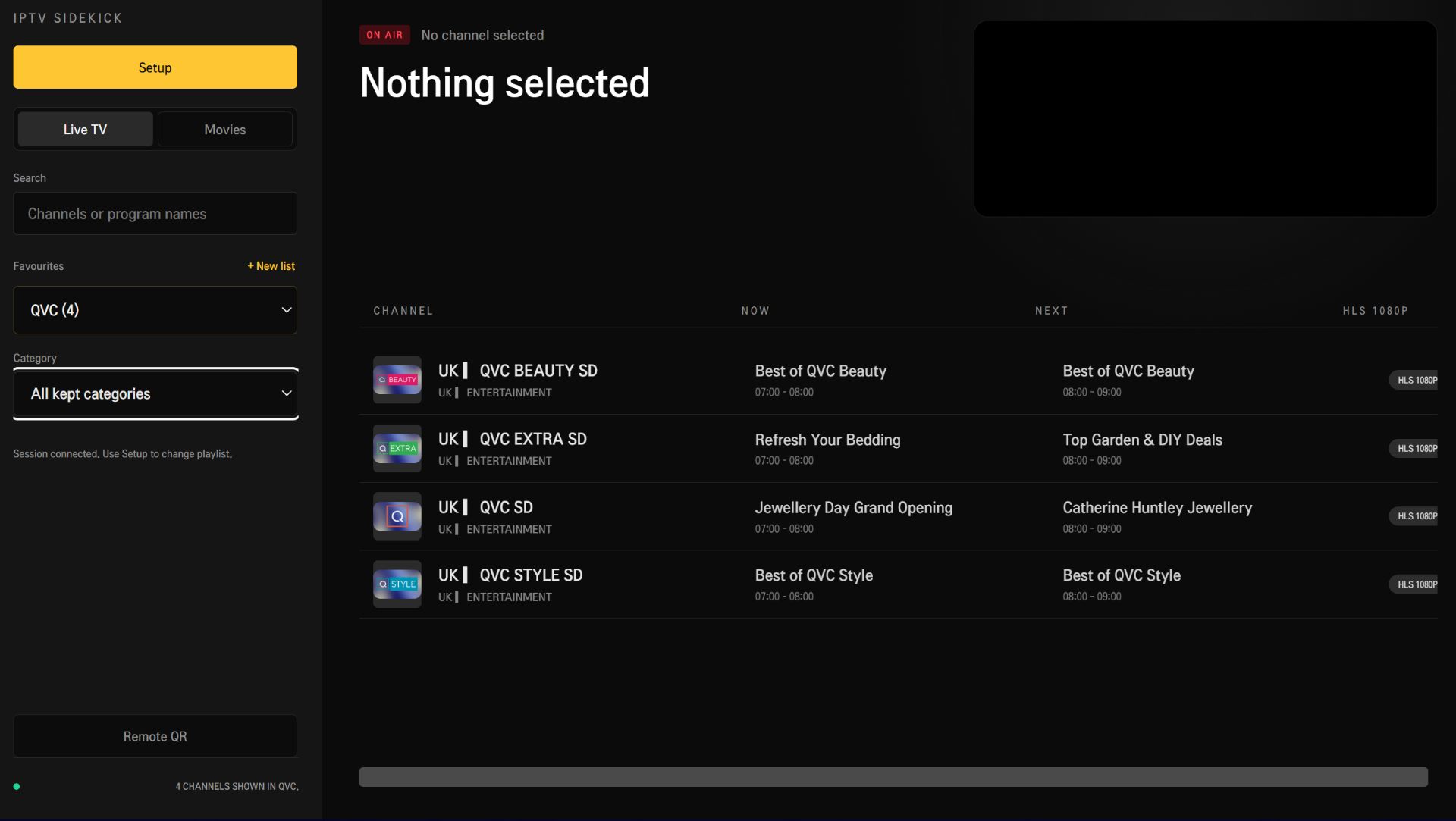
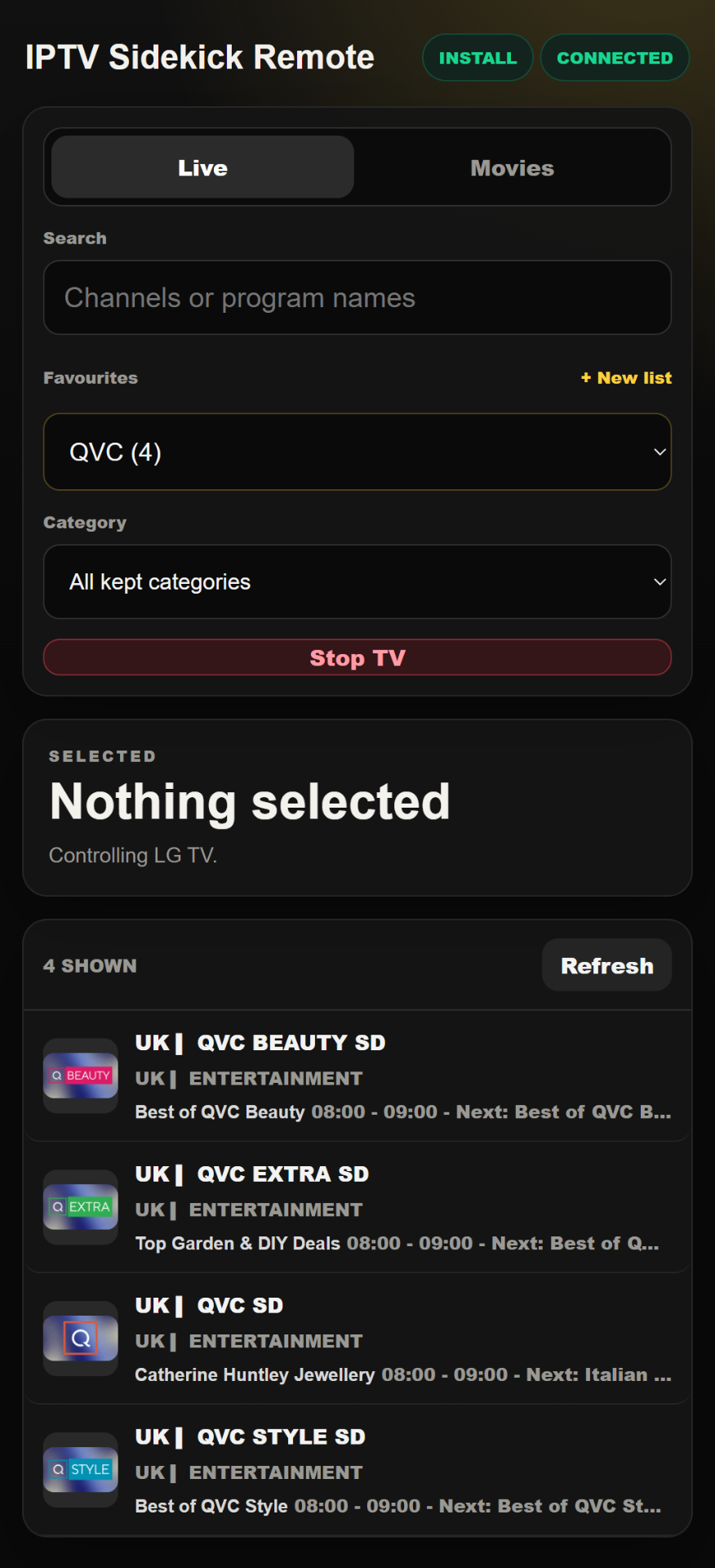
IPTV Sidekick pairs your TV with your phone so you can browse, filter and switch channels in a tap — no fiddly remote, no bloated menus.
LG webOS TV right now · Android TV coming soon · Phone remote included
Features
Everything you need. Nothing you don't.
We stripped IPTV back to the things people actually use every day.
Phone & TV, in sync
Pair once with a QR code and your phone becomes the remote. What you tap on your phone plays instantly on the TV.
Smart category filters
Hide adult, foreign, or unused categories. Your channel list only shows what you actually watch.
Custom playlists
Build favourites like ‘Sports night’ or ‘Kids weekend’. Switch between them in a tap.
Zero-setup pairing
Scan the QR shown on your TV — you're connected. No accounts, no cables, no faff.
Live TV & Movies
Live channels with EPG (now / next) and on-demand movies in one clean interface.
Fast & lightweight
No animations for animations' sake. Just quick, clear and out of the way.
How it works
Three steps. That's the whole setup.
- 1
Install on your LG TV
Open IPTV Sidekick on your TV or smart device and load your M3U playlist.
- 2
Scan the QR with your phone
Tap ‘Remote QR’. Point your phone camera at the TV — you're paired.
- 3
Control everything from your phone
Browse, search, filter and switch channels. The TV follows along instantly.
Pricing
One-time purchase.
Bring your own IPTV playlist. IPTV Sidekick is the player and the remote — just €1.99, no subscriptions, no ads.
- Unlimited playlists & favourites
- Phone ↔ TV pairing
- Category filtering
- Live TV + Movies + EPG
- No ads, no tracking
FAQ
Does IPTV Sidekick supply channels?+
No. You bring your own M3U playlist from your IPTV provider — we're just a better player and remote.
What devices does it run on?+
Currently available for LG webOS TVs. The phone remote works on Android and iOS. Android TV support is coming soon.
Do I need to create an account?+
No account, no email. Pairing is done locally with a QR code.
Is there a subscription?+
No. It's a one-time €1.99 purchase. No ads, no premium tier, no data collection.

Stop hunting for the remote.
Install IPTV Sidekick on your TV, scan the QR, and control everything from your phone.